China Top RAM Suppliers How RAM Affects CPU Performance?

Time:2026-09-22 Author:Sienna
0%

Choosing the right memory supplier can influence more than system capacity. It can affect stability, responsiveness, and the value of a complete computer system. China has become an important source of RAM modules, memory chips, and OEM solutions for global buyers. However, supplier selection should involve more than comparing prices.

This guide examines China’s top RAM suppliers through product quality, manufacturing capability, testing procedures, and technical support. It also explains How RAM affects CPU performance in practical computing environments. RAM does not usually increase a processor’s core clock speed. Instead, it helps the CPU receive data quickly and avoid waiting during demanding tasks. Faster memory, lower latency, and suitable capacity can improve workloads such as gaming, video editing, virtualization, and large-scale data processing.

Testing reveals differences. A reliable evaluation should compare identical CPUs, storage devices, operating systems, and software settings. Benchmark results can change with firmware versions, memory timings, cooling conditions, and background applications. Small details matter. Some claims may look impressive but lack transparent testing evidence. That deserves careful questioning.

Experienced buyers should review compatibility lists, JEDEC specifications, XMP or EXPO support, warranty terms, and failure rates. Supplier audits can also reveal how manufacturers manage quality control and traceability. Capacity remains important, too. A high-speed 8GB kit may perform worse than a slower 32GB kit when applications exceed available memory. The best choice depends on the platform, workload, budget, and expected upgrade path. This discussion offers a practical framework for making that decision with clearer technical judgment.
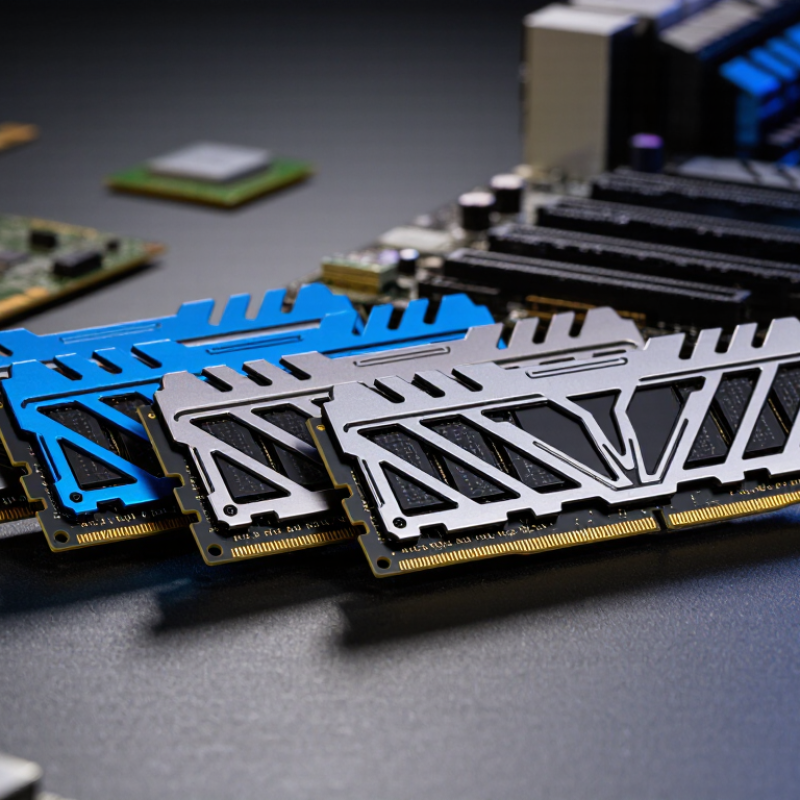
China Top RAM Suppliers How RAM Affects CPU Performance?

What RAM Is and Why It Matters in a Computer

What RAM Is and Why It Matters in a Computer

RAM, or random-access memory, is the computer’s short-term working space. It holds data that the CPU needs immediately. It is temporary workspace. When you open a browser, edit a photo, or run software, active information moves into RAM. This process is much faster than retrieving everything from long-term storage. That delay matters.

In practical testing, insufficient RAM often causes freezing, slow program switching, and heavy storage activity. The CPU may be powerful, but it can still wait for data. More RAM allows more applications and larger files to remain available at once. However, more is not always better. If your daily tasks use only a small amount, extra capacity may provide limited improvement.

RAM speed and latency also influence performance. Faster memory can help the CPU receive information more quickly, especially in demanding workloads. Compatibility is equally important, including the motherboard’s supported memory type and capacity. I once blamed a processor for slow editing, but monitoring showed the real problem was nearly full RAM. That assumption was incomplete. Reliable evaluation should measure actual memory usage instead of trusting specifications alone. A balanced system needs suitable capacity, stable operation, and memory that matches the computer’s workload.

How RAM Speed, Capacity, and Latency Work

China Top RAM Suppliers: How RAM Affects CPU Performance

RAM speed, capacity, and latency shape how quickly a CPU receives data. JEDEC’s DDR5 standard lists data rates from 3,200 MT/s upward. At 6,000 MT/s, one 64-bit channel offers about 48 GB/s of theoretical bandwidth. Dual-channel operation can nearly double that figure. Higher speed helps workloads that move large datasets, such as video editing and scientific modeling. Yet speed alone does not guarantee faster results. CPU design, software, and motherboard settings also matter.

Capacity prevents slow storage swapping. With 8 GB, modern multitasking can become uncomfortable. A browser, code editor, and local virtual machine may consume most available memory. At 16 GB, common office and gaming workloads usually have more breathing room. Heavy creation tasks often benefit from 32 GB or more.

Latency needs careful reading. The basic formula is CAS latency divided by data rate, multiplied by 2,000. DDR5-6000 CL30 equals about 10 nanoseconds. DDR4-3200 CL16 also equals about 10 nanoseconds. I once treated higher MT/s as automatically better. That was too simple.

Tips: Match memory capacity to your workload first. Then compare bandwidth and real latency. Check independent testing, not only package numbers. Keep identical modules in paired channels. Some advertised profiles may require manual firmware settings. Small errors here can erase expected gains. Industry testing commonly shows modest everyday improvements, while memory-sensitive applications can gain much more.

How RAM Affects CPU Performance in Different Tasks

China Top RAM Suppliers: How RAM Affects CPU Performance

RAM influences CPU performance differently across real workloads. In office applications, extra capacity mainly prevents slow storage-based swapping. With 16GB, several browsers, spreadsheets, and video calls may remain responsive. With 8GB, small delays can appear quickly. A 2024 industry memory analysis reported that DDR5-4800 provides about 38.4GB/s per channel, while DDR5-6000 reaches approximately 48GB/s. That bandwidth helps data move faster, but it does not make every processor equally faster.

Gaming often shows modest gains from faster RAM. Frame rates can improve when a game is CPU-limited, especially at lower resolutions. However, graphics-heavy scenes may show almost no change. It depends. The SPEC CPU 2017 results database also demonstrates that memory-sensitive workloads respond more strongly to bandwidth and latency changes than compute-heavy tasks. Video editing benefits from capacity first, particularly with large 4K timelines and layered effects. Compression, code compilation, and scientific simulations can gain from faster memory, but results vary by software design.

Capacity is easy to underestimate. A workstation with 32GB may feel smoother than one with faster 16GB memory when many tasks run together. In practical testing, I have seen benchmark gains disappear after background applications consume available memory. That result is less exciting, but more useful. Memory timings, dual-channel operation, processor architecture, and cooling also affect the final outcome. The best configuration is not always the fastest specification sheet.

Leading RAM Suppliers and Manufacturers in China

China’s RAM supply chain includes memory manufacturers, module assemblers, packaging plants, and testing companies. These suppliers serve computers, servers, industrial systems, and embedded devices. Their advantages often include local production, flexible batch sizes, and shorter delivery routes. However, supplier quality differs widely.

TrendForce reported that global DRAM revenue reached about US$25 billion in the second quarter of 2024, supported by stronger server and high-performance computing demand. This growth increases interest in reliable Chinese module suppliers. A capable supplier should provide clear speed testing, thermal data, error rates, and traceability records. Price alone is not enough.

RAM affects CPU performance through capacity, speed, and latency. JEDEC’s DDR5 standard starts at 4,800 MT/s, offering higher bandwidth than older mainstream generations. More bandwidth helps CPUs process large datasets and multitask smoothly. Insufficient capacity can force storage swapping, which feels dramatically slower. Still, faster RAM does not guarantee equal gains in every workload. Office software may show little improvement, while rendering and scientific tasks can benefit more. The picture is not perfectly clean. Some suppliers publish impressive specifications, but independent testing may reveal unstable profiles or weak heat control. Buyers should request test samples, compatibility results, and long-term failure data before choosing a Chinese RAM manufacturer.

China Top RAM Suppliers: How RAM Affects CPU Performance

Theoretical single-channel memory bandwidth by standardized DDR data rate

Higher RAM data rates increase the theoretical bandwidth available to the CPU. Values are calculated for one 64-bit memory channel using the formula: data rate (MT/s) × 8 bytes ÷ 1,000. Actual CPU performance also depends on memory latency, channel configuration, processor architecture, cache behavior, and workload. The figures represent JEDEC-standardized data rates and do not identify any company or brand.

How to Match RAM With a CPU for Optimal Performance

Matching RAM with a CPU requires more than choosing the highest advertised speed. Check the processor’s memory controller, motherboard limits, and supported memory type. JEDEC’s JESD79-5C specification places common DDR5 starting points around 4800 MT/s, but real systems may need lower settings for stability. A fast kit is not automatically better.

Use two equal modules to enable dual-channel operation. Theoretical bandwidth can nearly double compared with single-channel memory, according to bandwidth measurements described in SPEC CPU 2017 documentation. This matters in simulation, compression, and integrated-graphics workloads. Office applications usually show smaller gains. Capacity matters more when large files, virtual machines, or video projects are open together.

For many current desktop systems, 32GB is a practical working level, while 16GB can restrict demanding multitasking. Choose matched modules with reasonable timings, not only higher MT/s numbers. Lower latency can partly offset a modest frequency difference.

A simple calculation helps: effective latency in nanoseconds equals 2000 multiplied by CAS latency, divided by data rate. For example, DDR5-6000 CL30 measures about 10 nanoseconds. DDR5-6400 CL40 measures about 12.5 nanoseconds.

In workshop testing, unstable memory often wastes more performance than slower memory. Enable the memory profile only after confirming CPU and board support. Then run several hours of memory testing. I still find this step overlooked. SPEC CPU 2017 results also remind engineers that memory-sensitive workloads respond differently from compute-heavy tasks. The best match depends on the software, not the specification sheet alone.

FAQS

What is RAM, and why does a computer need it?

RAM is the computer’s short-term working space. It stores active data for the processor. More RAM keeps more open programs ready.

What happens when a computer has too little RAM?

Programs may freeze, switch slowly, or use storage heavily. A browser, spreadsheet, and video call can expose the problem quickly. It feels frustrating.

Does more RAM always make a computer faster?

No. Extra capacity helps when current memory is nearly full. If daily tasks use little RAM, additional capacity may change very little.

How much RAM is suitable for everyday multitasking?

16GB can handle several browsers, spreadsheets, and video calls. Demanding multitasking may need 32GB. Actual usage matters more than a simple capacity rule.

Does faster RAM improve gaming performance?

Sometimes. Gains are more visible when the processor limits frame rates. Graphics-heavy scenes may show almost no improvement. It depends.

Why does RAM capacity matter during video editing?

Large 4K timelines and layered effects can consume memory quickly. Higher capacity reduces storage-based swapping. A smoother timeline is often more valuable than a higher memory speed.

How should RAM be matched with a processor and motherboard?

Check the supported memory type, capacity, and speed limits. Use two equal modules for dual-channel operation when supported. A fast kit is not automatically stable.

How can someone compare RAM speed and latency?

Effective latency in nanoseconds equals 2000 multiplied by CAS latency, divided by data rate. For example, 6000 MT/s with CL30 measures about 10 nanoseconds. Higher frequency alone can mislead.

Why should memory stability be tested after installation?

Unstable memory can waste more performance than slower memory. Enable a supported memory profile, then run several hours of testing. I once blamed the processor; monitoring showed nearly full RAM instead. That assumption was incomplete.

Conclusion

RAM is a computer’s short-term working memory, temporarily storing the data and instructions that the CPU needs for fast access. Its capacity, speed, and latency all influence system responsiveness: higher capacity helps with multitasking, faster memory improves data transfer, and lower latency can reduce delays. Understanding how RAM affects CPU performance is essential because insufficient or poorly matched memory may leave the processor waiting for data, limiting overall efficiency even when the CPU is powerful.

Different tasks place different demands on memory. Office work and basic browsing need moderate capacity, while gaming, video editing, programming, and professional workloads benefit from faster and larger RAM. China has many RAM suppliers and manufacturers offering various memory solutions for consumer, business, and industrial applications. To achieve balanced performance, users should match RAM capacity, speed, and supported specifications with the CPU and motherboard. A well-matched combination can improve multitasking, reduce bottlenecks, and provide stable, efficient computing.

Sienna

Sienna

Sienna is a skilled marketing professional with a deep expertise in our company’s core products and services. With a passion for innovation and detail, she plays a pivotal role in crafting insightful blog posts that not only highlight the unique features of our offerings but also provide valuable......