When considering "Server RAM vs desktop RAM," users face significant choices. Experts like Dr. Emily Carter, a renowned technology analyst, emphasize, “Choosing the right memory affects system performance.” This statement encapsulates the core of the debate between server RAM and desktop RAM.
Server RAM is designed for heavy workloads. It boasts features such as error correction and higher capacities. This makes it suitable for data centers and enterprise environments. In contrast, desktop RAM is optimized for everyday tasks. Its design supports personal computing, gaming, and multimedia applications. Each type serves distinct purposes, fulfilling unique needs.
However, the choice isn’t always clear. Businesses may hesitate to invest in server RAM without understanding its advantages. Likewise, gamers might undervalue desktop RAM’s ability to enhance performance. Users must reflect on their specific requirements, weighing durability against cost. “Server RAM vs desktop RAM” isn’t just technical jargon; it's a decision that impacts efficiency and productivity.
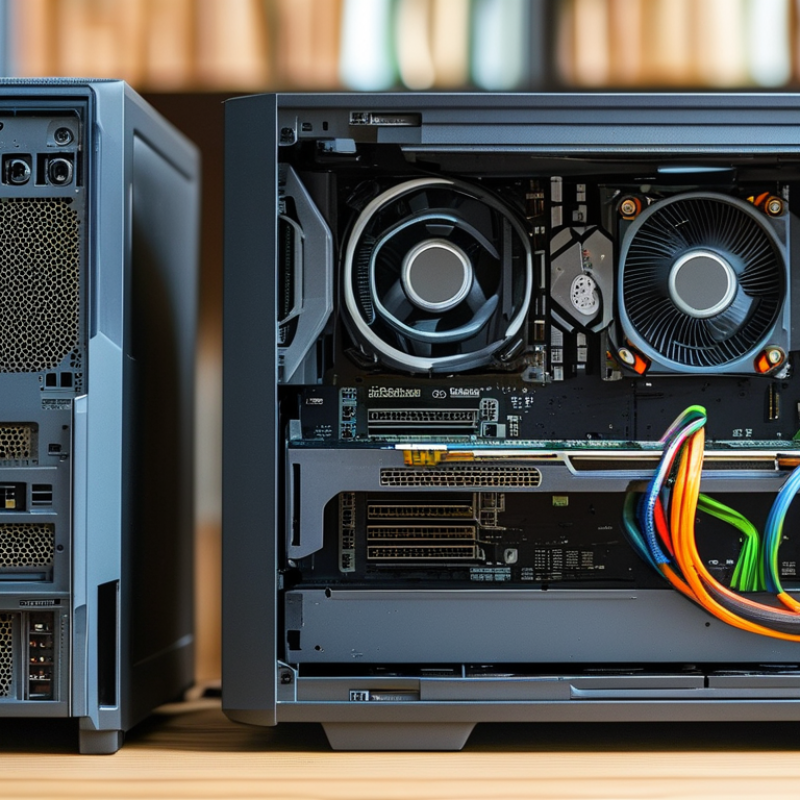
Differences in Architecture: Server RAM vs Desktop RAM
When comparing server RAM and desktop RAM, architecture plays a crucial role in their performance. Server RAM typically has advanced error-correcting code (ECC) capabilities. This technology detects and corrects memory errors automatically. On the other hand, desktop RAM usually lacks this feature, making it more prone to potential issues. For critical applications, ECC can significantly enhance reliability.
The speed and bandwidth of RAM also differ. Server RAM often has higher bandwidth due to its multiple memory channels. This allows for quicker data processing in demanding environments. Desktop RAM, while fast for everyday tasks, may fall short in high-load situations. Users looking to manage large data sets should consider server RAM for its efficient performance.
When choosing between the two, assess your needs carefully. If your workload is light, desktop RAM may suffice. However, for larger operations involving databases or virtual machines, invest in server RAM. Remember to evaluate not just the price but also the longevity and stability of your system. Think about future upgrades too, as what works today might not be adequate tomorrow.
Performance Metrics: Evaluating Speed and Latency
When comparing server RAM and desktop RAM, performance metrics like speed and latency come into play. Server RAM, typically designed for high-demand environments, can handle more simultaneous processes. This means it often boasts lower latency, which is essential for data-intensive tasks. Users benefit from quicker response times, especially in multi-user scenarios. However, one could argue that desktop RAM can offer adequate performance for everyday tasks.
Latency is a critical factor. Server RAM often features ECC (Error-Correcting Code) to detect and correct errors on the fly. This is valuable in environments where data integrity is crucial. Meanwhile, desktop RAM generally emphasizes speed rather than error correction. While speed matters, a higher MHz rating doesn’t always translate to better performance in the real world.
It’s important to assess your needs. If you use resource-heavy applications, server RAM may be worth considering. However, for general use or light gaming, desktop RAM can suffice. Think about your specific workload before deciding. This choice can significantly affect your experience and system stability.
Capacity Considerations: How Much RAM Do You Need?
When deciding on RAM for your needs, the capacity is crucial. Typical desktop users may get by with 8GB to 16GB of RAM. This amount is usually sufficient for browsing, streaming, and basic productivity tasks. However, if your work includes graphic design, video editing, or gaming, you might require more. In those cases, 32GB or even 64GB could provide smoother performance.
Server RAM often boasts higher capacities, which is ideal for handling multiple workloads. It excels in stability and performance, crucial for enterprise environments. A server may require anywhere from 64GB to several terabytes of RAM, depending on its tasks. This capacity is essential for databases, virtualization, and applications needing high availability. Choosing the right amount can feel daunting. Too little RAM can hinder performance, while excess can lead to wasted resources. Balancing your needs with capacity is key.
Reliability and Durability: Understanding ECC vs Non-ECC RAM
When choosing between server RAM and desktop RAM, understanding the differences in reliability and durability is crucial. Server RAM often features ECC (Error-Correcting Code) technology, which detects and corrects data corruption. This makes it ideal for critical applications where data integrity is paramount. According to industry reports, servers using ECC RAM experience up to 99.99% uptime, a stark contrast to systems relying only on non-ECC RAM.
On the other hand, non-ECC RAM is more common in desktop computers. It is generally faster and cheaper but lacks the error correction capabilities. While this type of RAM is suitable for everyday tasks, it may lead to data loss during unexpected outages. Studies show that computers with non-ECC RAM can face a 5% chance of undetected errors. For those working with sensitive data or heavy applications, this poses a significant risk.
When selecting RAM, consider your specific needs. If reliability is your priority, opt for ECC RAM. For gaming or regular tasks, non-ECC may suffice. Always ensure your motherboard supports the type of RAM you choose. Regularly checking for memory errors can help maintain system integrity. Aim for at least 16GB of RAM for optimal performance in most scenarios.
Server RAM vs Desktop RAM: Reliability and Durability
In this chart, we compare the average failure rates of ECC (Error-Correcting Code) RAM and Non-ECC RAM. ECC RAM exhibits a lower failure rate, indicating higher reliability and durability, making it a suitable choice for server environments, while Non-ECC RAM is more common in desktop applications where such levels of reliability might be less critical.
Cost Analysis: Budgeting for Server vs Desktop RAM Solutions
When deciding between server RAM and desktop RAM, cost plays a crucial role. Server RAM typically carries a higher price tag. According to a recent report by Gartner, enterprises may see a price increase of 20% to 30% when opting for server-grade memory. This increase reflects enhanced reliability, error correction capabilities, and performance stability.
Desktop RAM, while generally more affordable, may lack some advanced features. It suits casual users and standard applications well. For instance, a Crucial study indicates that 80% of average consumers use under 16GB of RAM. If your workload involves high-performance computing or virtualization, the added investment in server RAM could pay off.
However, it is essential to assess actual needs. Many businesses overestimate their requirements. A survey by IDC found that up to 40% of organizations have excess server capacity, including unnecessary RAM. This situation highlights the importance of aligning RAM selection with specific workloads and usage patterns. Making informed decisions can prevent overspending on memory solutions that do not enhance performance.
FAQS
Latency affects response times, especially in multi-user environments. Lower latency improves performance for critical applications.
Not necessarily. Speed ratings might not translate to noticeable improvements in real-world usage.
ECC stands for Error-Correcting Code. It detects and corrects errors, ensuring data integrity in critical environments.
Server RAM is typically more expensive due to its reliability and advanced features, whereas desktop RAM is budget-friendly.
Opt for server RAM if using resource-heavy applications. For light tasks, desktop RAM usually meets needs.
Many overestimate their RAM requirements. Some run over 40% excess server capacity unnecessarily.
Studies show 80% of users stick to under 16GB of RAM for standard activities.
Yes, choosing excessive RAM without specific workloads can lead to wasting resources and budget.
Assess your workload and usage patterns. Tailor your RAM choice to your actual requirements to avoid overspending.
Conclusion
When comparing server RAM vs desktop RAM, there are several critical factors to consider. Firstly, the architectural differences highlight that server RAM is designed for robustness and efficiency in multi-tasking environments, while desktop RAM focuses on handling single-user applications. Performance metrics such as speed and latency are essential, with server RAM typically offering lower latency for better responsiveness in demanding applications. Capacity considerations also play a vital role, as servers often require higher RAM limits to support extensive workloads compared to standard desktop needs.
Furthermore, reliability is a significant differentiator, with server RAM featuring Error-Correcting Code (ECC) technology that enhances data integrity, whereas desktop RAM usually utilizes non-ECC. Finally, cost analysis reveals that server RAM generally comes at a premium due to its advanced features and durability. Ultimately, the choice between server RAM vs desktop RAM depends on specific usage requirements, including performance needs, reliability, and budget constraints.

 Cynovex